Choose permissions
Invite an editor to add and change items, or a viewer to follow the list without editing.
Plan with the people involved without giving everyone the same level of access. Circlst lets an owner share a specific list, choose viewer or editor permissions, and keep discussion with that list.
Install and create your account Free to start on Google Play. Optional Plus and Pro plans.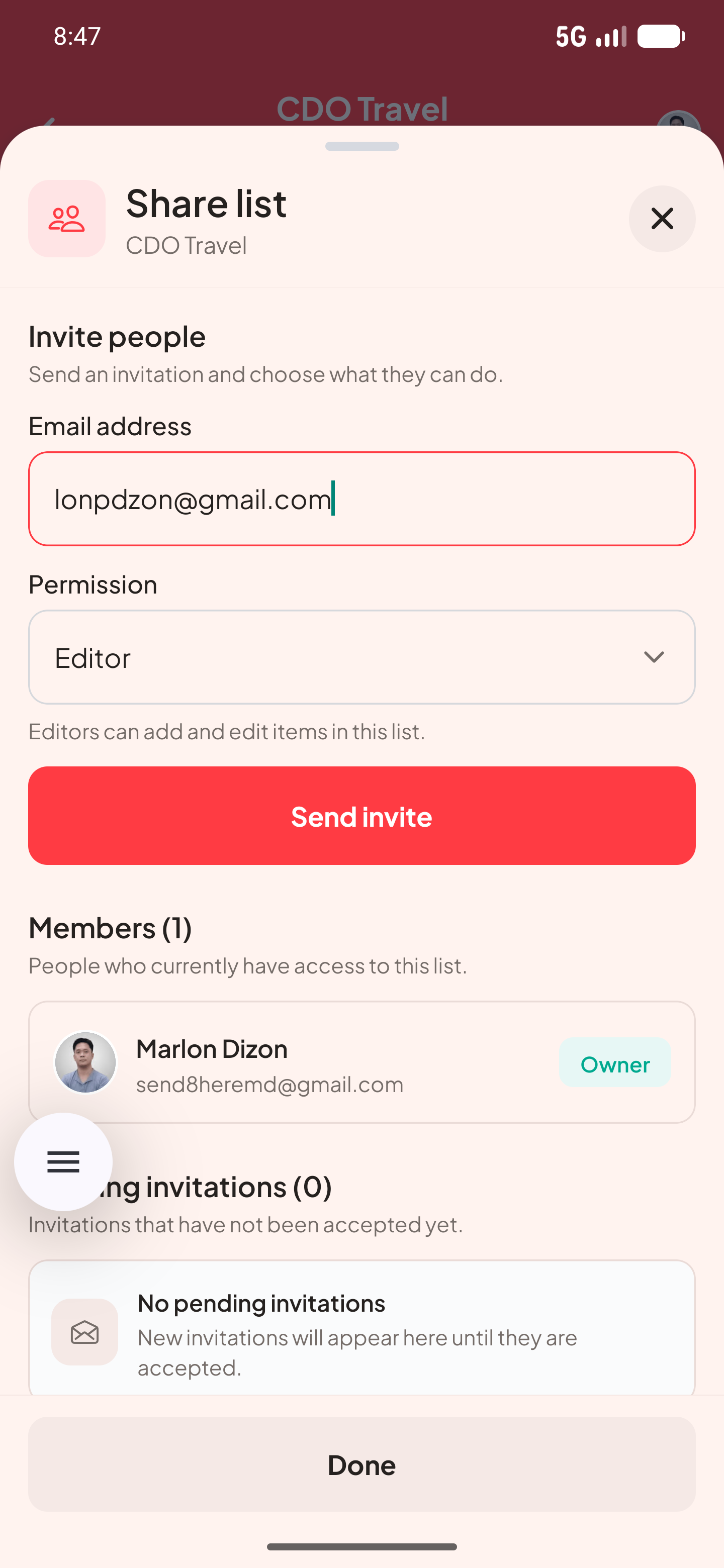
Invite an editor to add and change items, or a viewer to follow the list without editing.
Shared changes update for authorized members, so everyone works from the same list.
Use built-in messaging to discuss work alongside the list it concerns.
Here is one way to set up the list and see the information at a glance.
| To-Do list | Editors | Assignments and tasks |
|---|---|---|
| Shopping list | Editors | Supplies to buy |
| Budget list | Viewers | Plan and totals |
No. Share a list with the people you choose; personal lists remain separate.
The Free plan allows up to 3 members per shared list. Plus allows up to 10 and Pro up to 20.